New features for Winter 2025-26
New features this quarter include Group-based license auto-assignment, reminder notifications, and more.
Last updated
December 17, 2025
Explore our latest features and updates this winter, to help you improve your license management, asset lifecycle tracking, and overall Setyl experience:
- Auto-assign licenses to People based on Groups
- Import Groups from Microsoft, Google, JumpCloud, and Okta
- Kick-start or audit your Setyl account setup with the Checklist
- Automatically populate asset warranty, useful life, and depreciation data
- Stay on top of Asset Reminders with weekly notifications
- Take full control of when assets auto-assign in Setyl
Curious to see these features in action? Book a demo with the team.
1. Auto-assign licenses to People based on Groups
Ensure employees are assigned the right licenses in Setyl using our new Groups entity and automation rules.
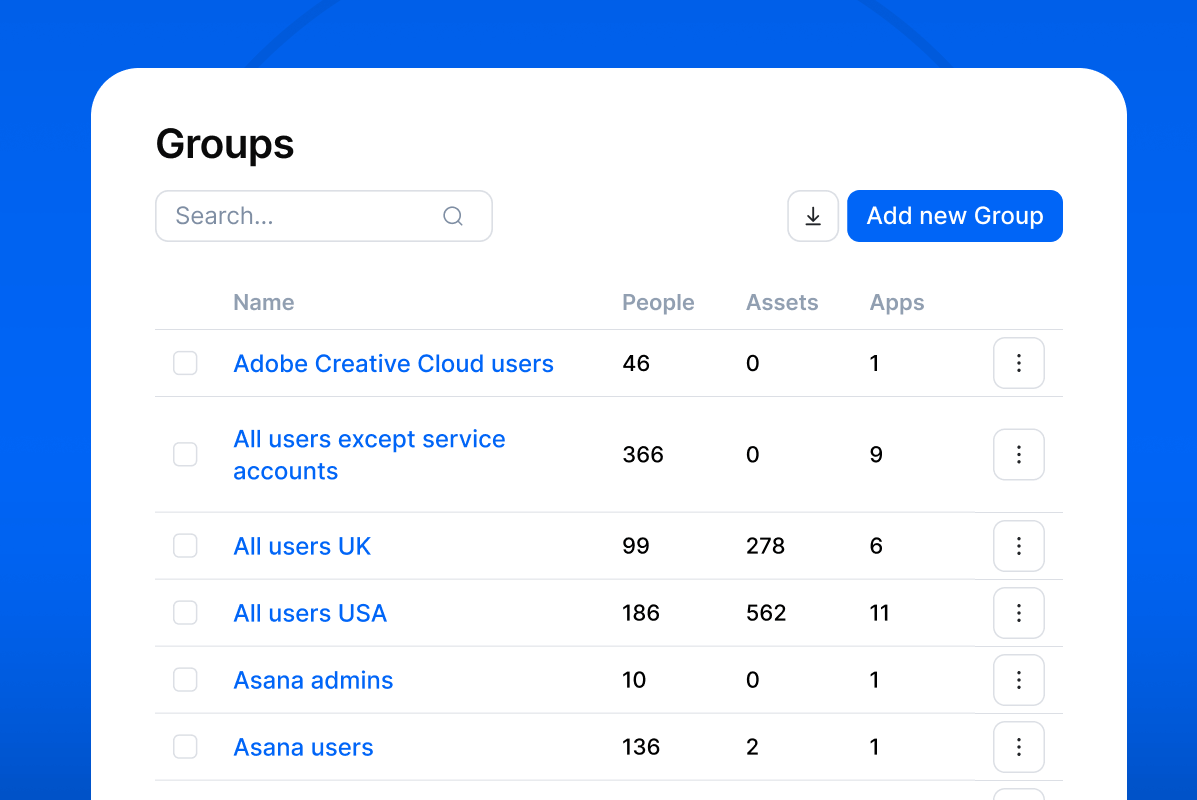
In addition to Departments, Locations, and Legal Entities, you can now categorize your People into Groups in Setyl. You can then create rules to automatically assign and unassign licenses based on the Group(s) a person belongs to.
Find Groups under Organization on the left navigation. Note that a person can be part of more than one Group.
To create Group-based automation rules, go to Settings > Company Settings > Automation, or set them up directly within an App profile via the Automation tab.
2. Import Groups from Microsoft, Google, JumpCloud, and Okta
Further automate Group-based license assignment by importing and populating Groups from your Microsoft, Google, JumpCloud, or Okta integrations via our new connections.
To set up the connection, go to Settings > Integrations. Search for the relevant integration, click the three dots (⋮), and choose Configure data mapping. Find the Groups attribute and select your preferred integration from the dropdown.
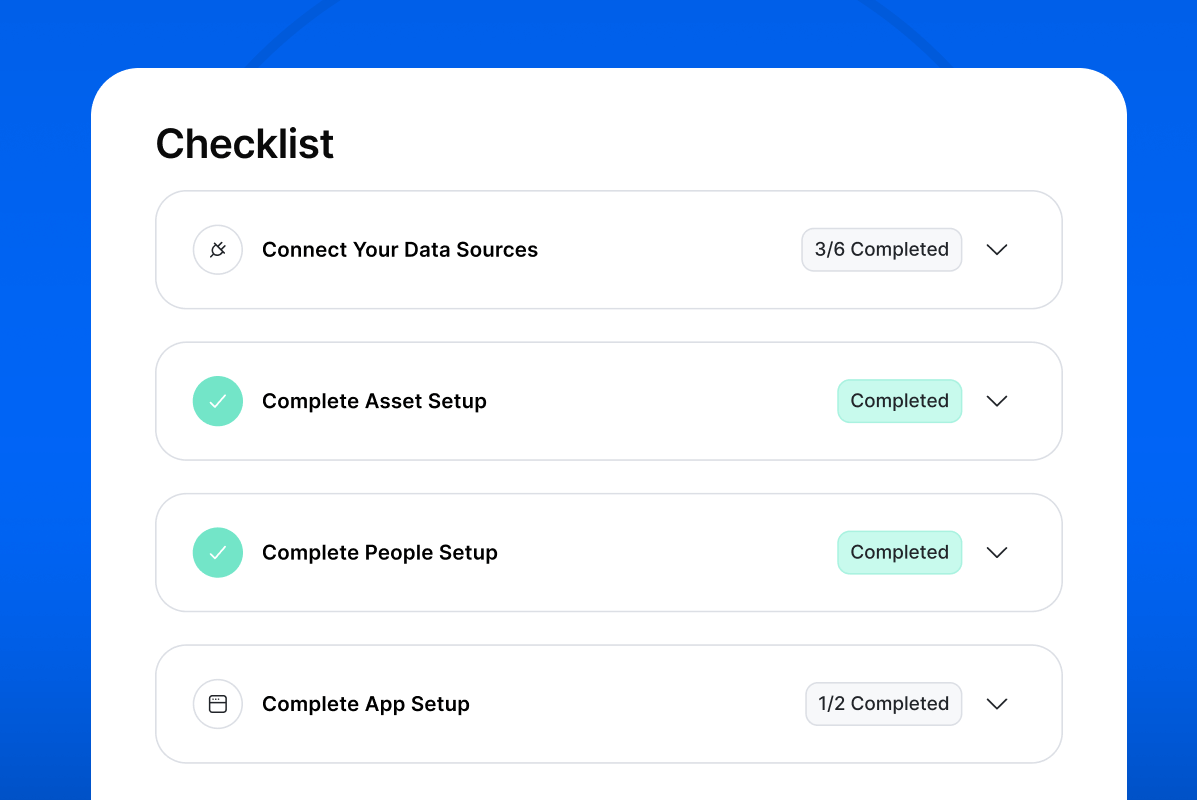
3. Kick-start or audit your Setyl account setup with the Checklist
Whether you’re new to Setyl or have been using the platform for a while, identify opportunities to improve your account setup and overall experience with our new Checklist.
The Checklist provides recommendations for configuring your account and flags any integration, People, Asset, and App settings that may need reviewing.
You can find the Checklist at the top of the left navigation.
4. Automatically populate asset warranty, useful life, and depreciation data
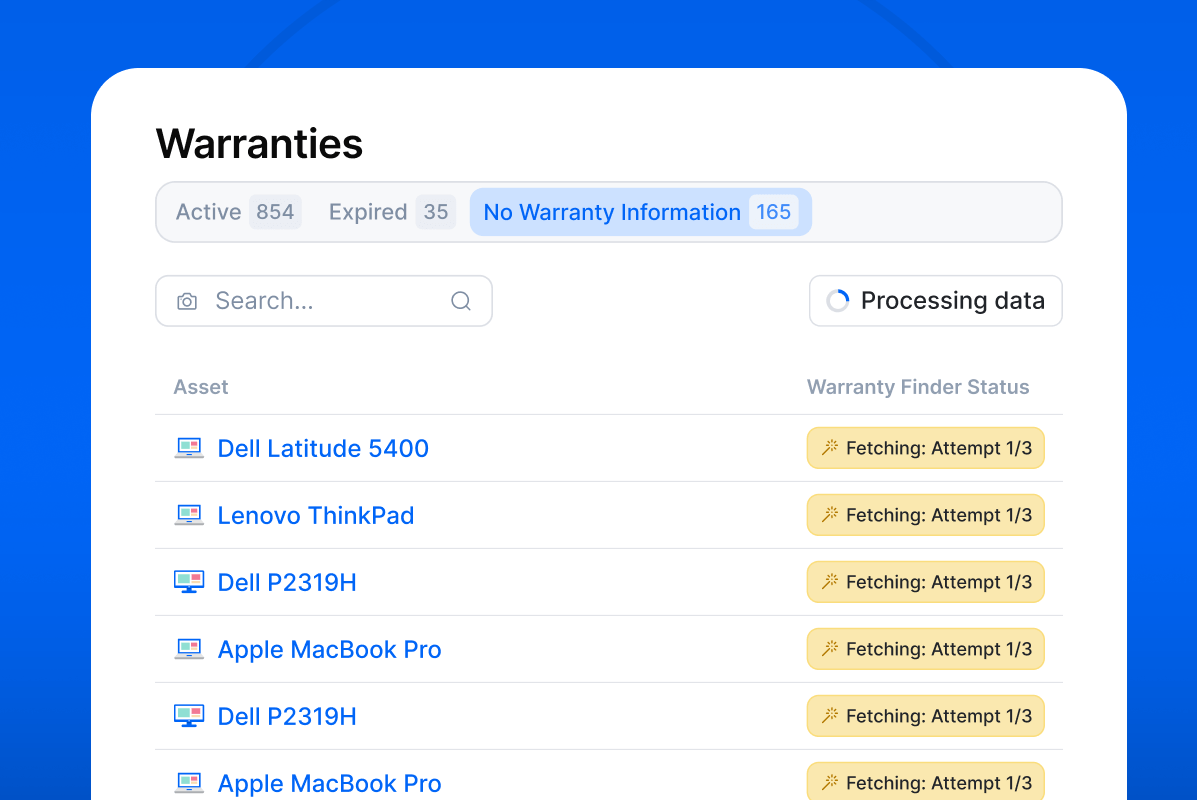
Improve asset lifecycle tracking and make more informed budget decisions with the Automatic Warranty Finder — which is now available in all accounts on our Complete and Advanced plans.
This feature automatically fetches and populates warranty information, including purchase date, warranty type, and expiry date, for Dell, HP, Lenovo, ASUS, and Apple assets listed in Setyl. Support for Microsoft assets will also be added next month.
Enabling the Warranty Finder also benefits other functionality, such as asset useful life and depreciation tracking. The warranty data retrieved is combined with the end-of-useful-life and depreciation rules you’ve set, allowing these fields to be calculated and updated automatically.
You can enable or disable this feature in Settings > Company Settings > General. See our help article for more information.
5. Stay on top of Asset Reminders with weekly notifications
Ensure your team never misses an Asset Reminder with weekly email updates.
People assigned to one or more Asset Reminders will now receive a list of their reminders due that week, along with any overdue reminders that still need to be completed, straight to their inbox every week.
Assignees can choose to turn these notifications off by going to Personal Settings > Notifications. Learn more about how to use Asset Reminders.
6. Take full control of when assets auto-assign in Setyl
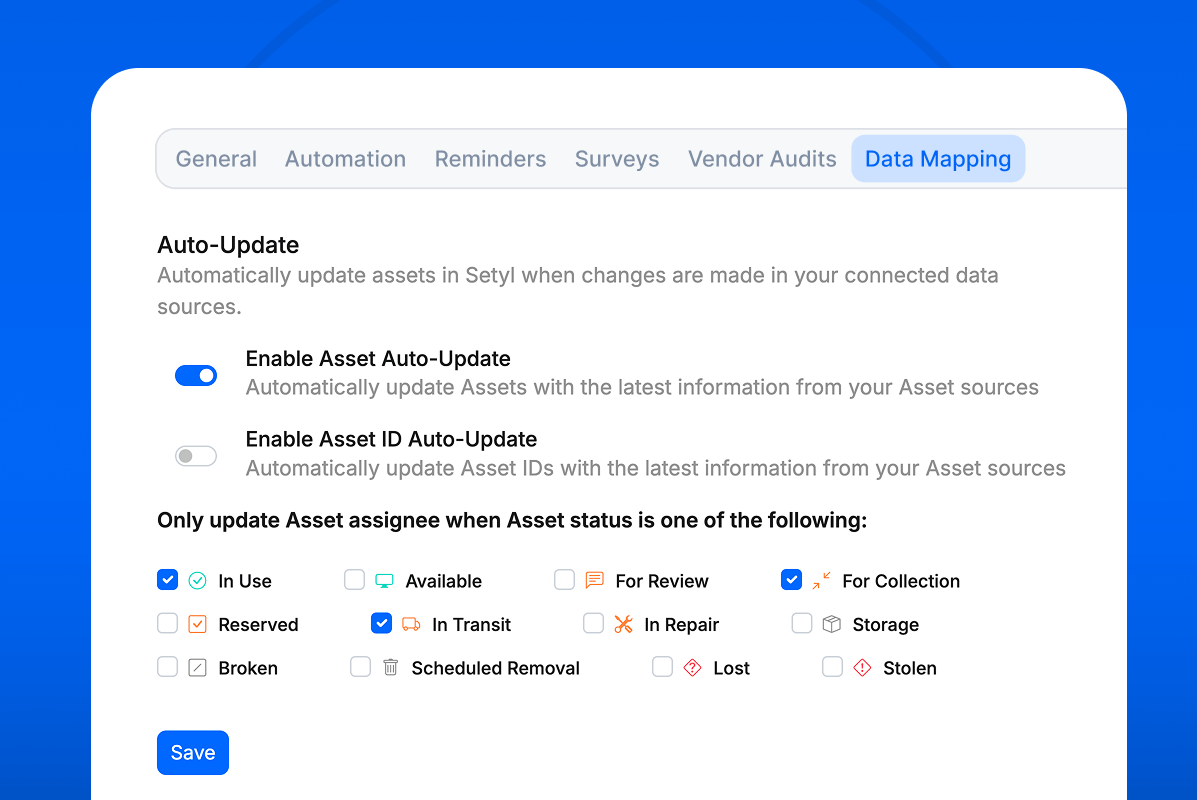
Customize automatic asset assignments in Setyl to fit your workflows with our update to the Asset Auto-Update feature.
The Auto-Update feature automatically updates asset details in Setyl to match the information in your connected asset sources (MDM, RMM, cybersecurity platform, etc.). With this update, you can now specify which asset statuses should trigger automatic assignee updates — and which shouldn’t.
This ensures that Setyl reflects accurate assignee information, even if your asset source hasn’t (yet) been updated.
We’ve rolled out this improvement to all accounts, with the default setting allowing assignee auto-updates only to assets with an In Use, For Collection, or In Transit status. You can adjust these settings, or disable them entirely, by navigating to Settings > Company Settings > Data Mapping > Auto-Update.
We hope you’re finding these new updates useful. Keep sharing your own feature ideas and upvoting others’ submissions on the Setyl Roadmap in your account, to help us decide what to focus on next.
We also want to take this opportunity to thank you for your trust this year, and can’t wait to bring you even more new features and improvements in the year ahead!
More Setyl news and updates
- Discover our new features for Summer and Fall 2025.
- Book a demo with one of our specialists to see the platform in action.
- Follow us on LinkedIn to get our updates straight to your feed.