Introducing Setyl’s AI MCP connector
Use Claude, ChatGPT, and other AI tools to query your Setyl data and complete tasks faster.
Last updated
September 3, 2026
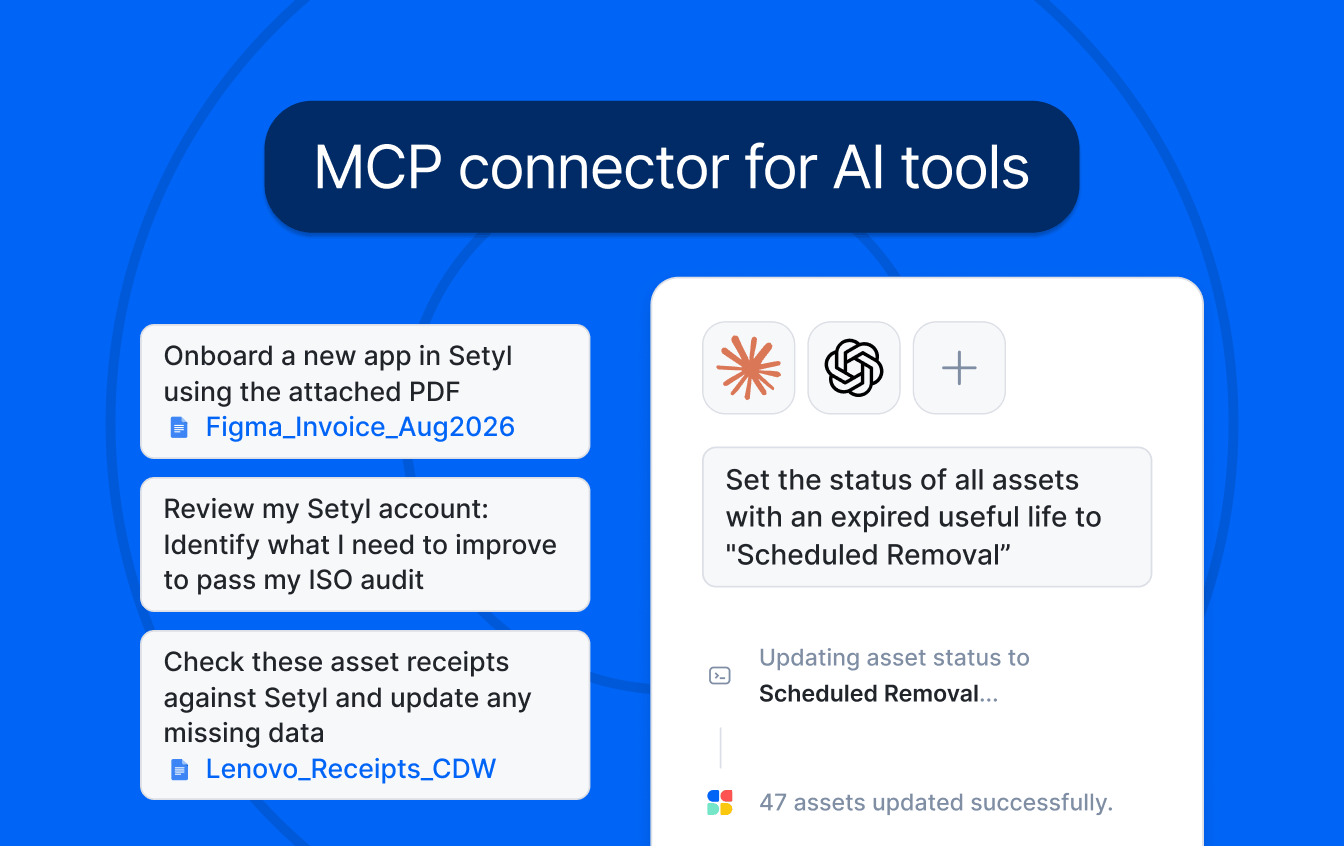
You can now connect Setyl to your preferred AI platform, including Claude, ChatGPT, and other MCP-supported tools, to query data, take action, and generate insights instantly — helping you complete your IT asset and software management tasks faster.
What can you do with the MCP connection?
The MCP connection helps reduce manual data entry and repetitive work by letting you use AI to complete tasks in Setyl faster, and often with more accuracy, using natural language.
The MCP connector is particularly useful for tasks such as:
- Making bulk updates in Setyl
- Extracting information from PDF contracts and receipts and importing it into Setyl
- Generating custom reports
- Building workflows
- Auditing your Setyl data
- Generating recommendations and insights
- Identifying inconsistencies and opportunities to improve your data
AI prompt examples
There are thousands of ways to use this new MCP connection to help with IT asset management, software license tracking, user management, audit preparation, and more.
Here are just a few prompt examples to get you started:
“I have an ISO 27001/SOC 2 audit coming up. Review my Setyl account and identify any gaps or areas that need improvement to help me pass.”
“Take this PDF contract for a new software application, extract the relevant information (seats, pricing, license names, start and end dates, etc.), import it into Setyl, make me the business owner, and onboard the app.” [Attach PDF] Alternatively, you can ask your AI tool to use the browser to log into the application directly and retrieve the relevant information to import into Setyl.
“Find all assets with an expired useful life and update their status to Scheduled Removal.”
“Pull a list of all Apple MacBooks that are at least 4 years old.”
“Take these asset purchase receipts from the past 12 months, compare them with the data in Setyl, and update any missing information.” [Attach PDF receipts or CSV file from your reseller]
“Offboard and archive all users in Setyl who left more than six months ago and have no assigned assets or apps.”
How to get started
You can connect Setyl to Claude directly through the Claude Directory. For other AI platforms, see our MCP documentation.
Note that your Setyl permissions still apply when using the MCP connection: you can only view or make changes that your Setyl role allows.
Have feedback?
We’re continuing to expand what you can do with the MCP connection and would like to hear how you’re using it. If you have feedback, suggestions, or a use case you’d like to see supported, contact your account manager.
Explore more Setyl news, awards, and offers.