New features for Summer 2026
Explore our Q2 releases including Adobe and Apple Business integrations, new dashboards and automations.
Last updated
June 24, 2026
Explore our Q2 product releases to help you improve your software and hardware asset management this summer:
- Get deeper insights across your software estate with new App dashboards
- Sync licenses, assignees, and usage directly from Adobe and Google Workspace
- Auto-populate additional asset data
- Connect Apple Business and NetBox to Setyl
- Extend Setyl with new API endpoints and asset status
Do you have a question about these updates? Simply book a call with the team — we’re always happy to help.
1. Get deeper insights across your software estate with new App dashboards
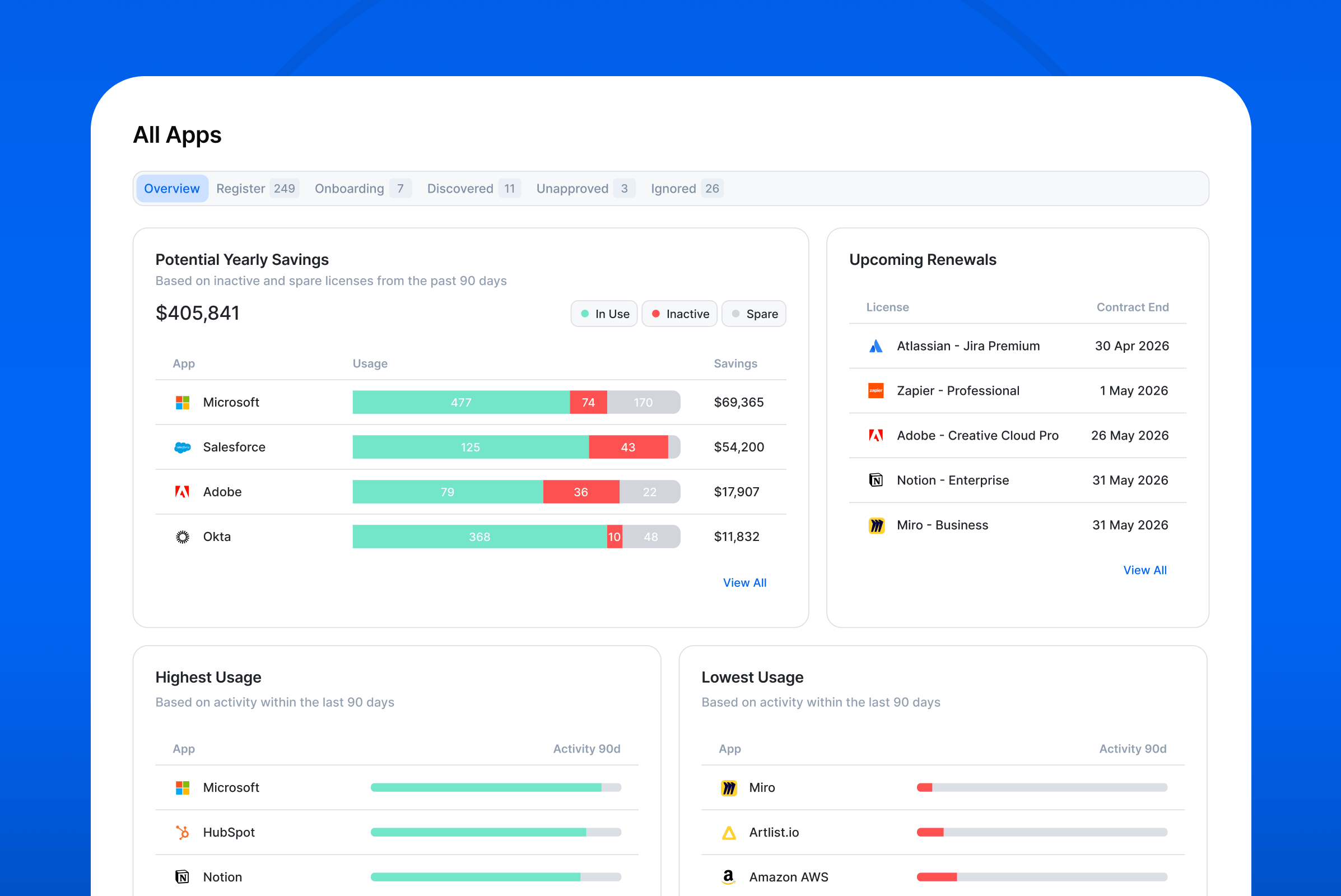
View both high-level and granular insights into your software applications with our new App dashboards and reports, helping you improve software asset management and make more confident decisions.
The dashboards consolidate key information such as license renewals, security insights, and software spend. Customers on the Advanced plan also get access to software activity, license usage, and potential cost savings data.
For an overview of insights across your entire software estate, navigate to Apps > All Apps. From there, click View all on any widget to drill down into the underlying data.
For application-level data, open the Overview tab on the App profile. Or switch to the Licenses & Assignees tab to view a breakdown for each license.
2. Sync licenses, assignees, and usage directly from Adobe and Google Workspace
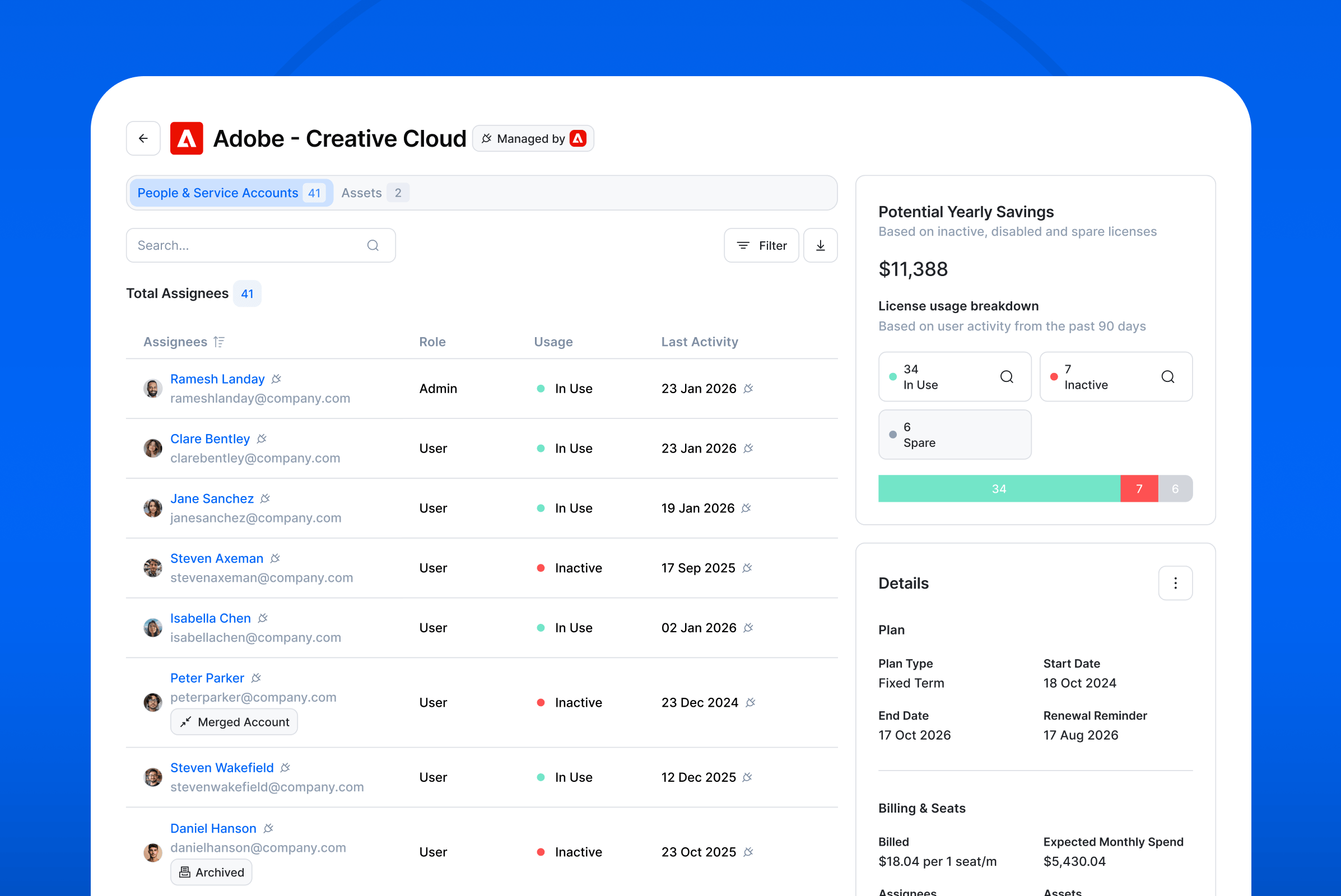
Audit your Adobe Creative Cloud and Google Workspace license usage and identify savings opportunities with our latest License Intelligence connectors.
Customers on the Advanced plan can now import license and usage data directly from Adobe Creative Cloud and Google Workspace into Setyl. This is in addition to existing Microsoft, Zoom and Slack License Intelligence integrations.
The integrations automatically import license names, seat counts, assignees, and user activity into Setyl. Setyl then identifies inactive and unused licenses, flags licenses assigned to offboarded or merged users, and calculates potential savings — helping you rightsize licenses and reduce software spend.
Find out more about this functionality, and go to Settings > Integrations to search for and connect your accounts.
Customers on the Complete plan can also auto-populate Microsoft and Google license names and assignees via their existing connections. If this information does not appear automatically, you may need to disconnect and reconnect your account.
3. Auto-populate additional asset data
Reduce manual work and build more complete asset records with our latest asset enrichment automations.
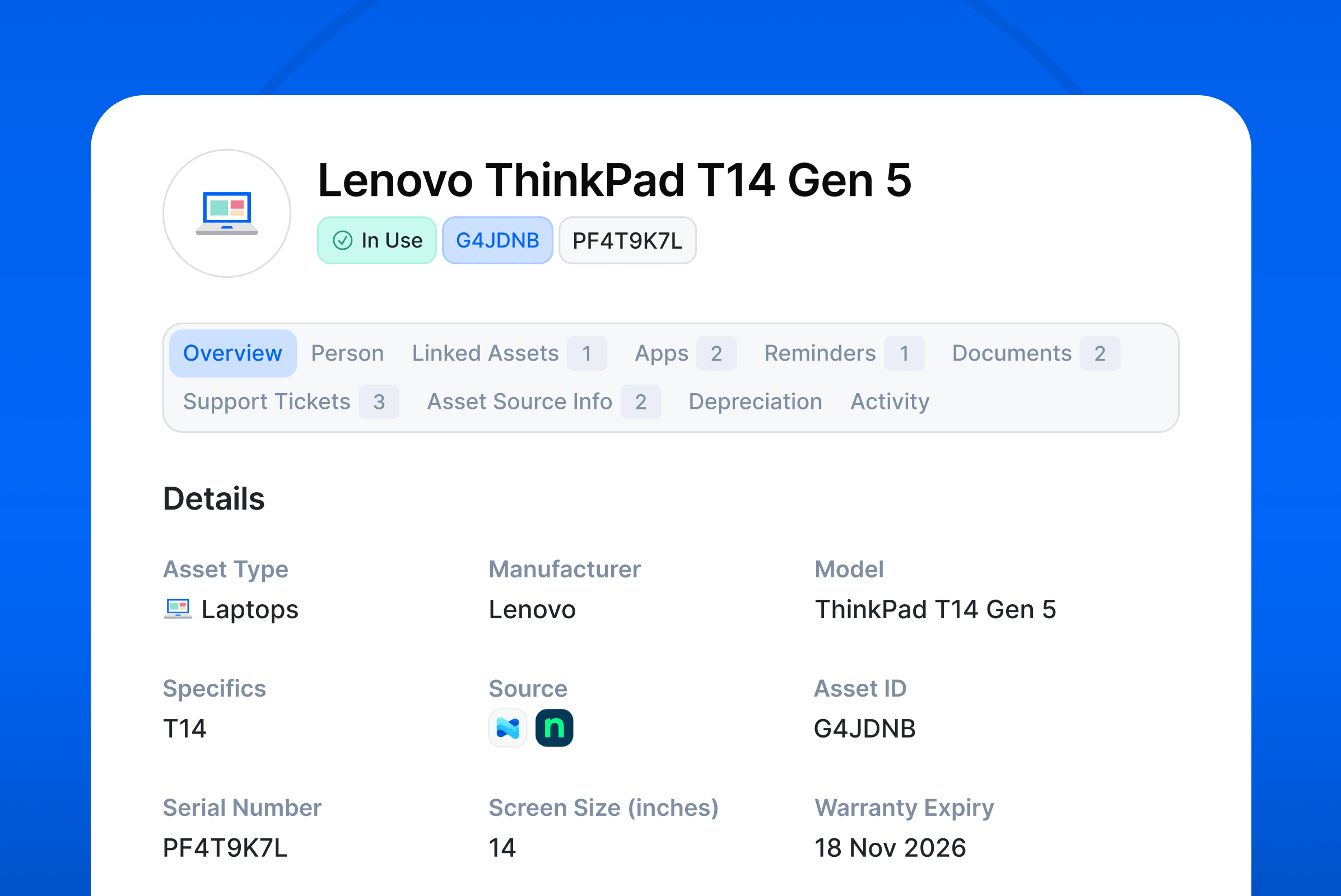
Setyl now includes an extensive library of device specifications, spanning laptops, desktop computers, phones, and more. Based on the asset model, Setyl automatically populates asset details where available, including screen size, processor, RAM, storage capacity, branded model name, and asset types when an asset is created.
This addition is part of the Asset Auto-Create functionality, which can be configured in Settings > Company Settings > Data Mapping. You can also choose to enable or disable it for individual asset sources.
We've also enhanced the Warranty Finder to update warranty information in real time when an asset is added to Setyl, and expanded support to include Microsoft devices. Learn more about this feature.
4. Connect Apple Business and NetBox to Setyl
Build a comprehensive asset inventory by automatically importing assets from your NetBox and Apple Business (formerly Apple Business Manager or ABM) accounts.
These new out-of-the-box integrations automatically detect, import, and update assets and their specifications in Setyl.
As with all other asset imports, once an asset is created, Setyl automatically fetches warranty information, calculates end-of-useful-life dates, and populates additional specification data where available.
Browse all available asset integrations on our website, including MDMs, RMMs, cybersecurity systems and more, and go to Settings > Integrations in your Setyl account to make the connection.
5. Extend Setyl with new API endpoints and asset status
New API endpoints and asset status provide greater flexibility to adapt Setyl to your needs and processes.
We’ve added new API endpoints for Groups (available on the Advanced plan), covering key group information, such as assignees.
You can now also use a new asset status, “Legal hold,” to categorize assets where needed.
We hope you find these new features useful! Want to help shape what comes next? Visit the Setyl Roadmap in your account to share your ideas and upvote feature requests from other users.
More Setyl news and updates
- Discover our new features for Spring 2026 and Winter 2025-26.
- Hear from our CEO about our plans for the upcoming year as we celebrate our 6th birthday.
- Book a demo with one of our specialists to see the platform in action.