New features for Spring 2026
Discover our new license rightsizing features and asset integration improvements.
Last updated
March 26, 2026
Discover our latest license management features and new asset integrations this spring — to help you automate processes and reduce software spend:
- Sync licenses, users, and usage directly from Microsoft
- Import App users and last activity from Entra and Okta
- Rightsize your licenses to reduce software spend
- Connect Setyl to Tenable and Firstbase
- Improved multi-tenancy connection for asset integrations
Curious to see these features in action, or need help setting things up? Book a demo with the team.
1. Sync licenses, users, and usage directly from Microsoft
Stay in control of your Microsoft licenses and usage with our new License Intelligence integration.
Simply make the connection to Microsoft to auto-populate all your license information in Setyl. The integration imports license names and number of seats, assigns them to the correct users, and tracks usage via last activity dates — helping you maintain accurate records without manual intervention, rightsize licenses and reduce IT spend.
The license overview will also highlight any merged or archived accounts that are still assigned a license seat.
The Microsoft License Intelligence connector is available on both Advanced and Complete plans. Other License Intelligence connections are available on Advanced only.
Go to Apps > All Apps, locate Microsoft, open the Licenses & Assignees tab and click on one of the listed licenses to review this data. All licenses synced via the Microsoft connection will display a “Managed by [Microsoft logo]” label.

2. Import App users and last activity from Entra and Okta
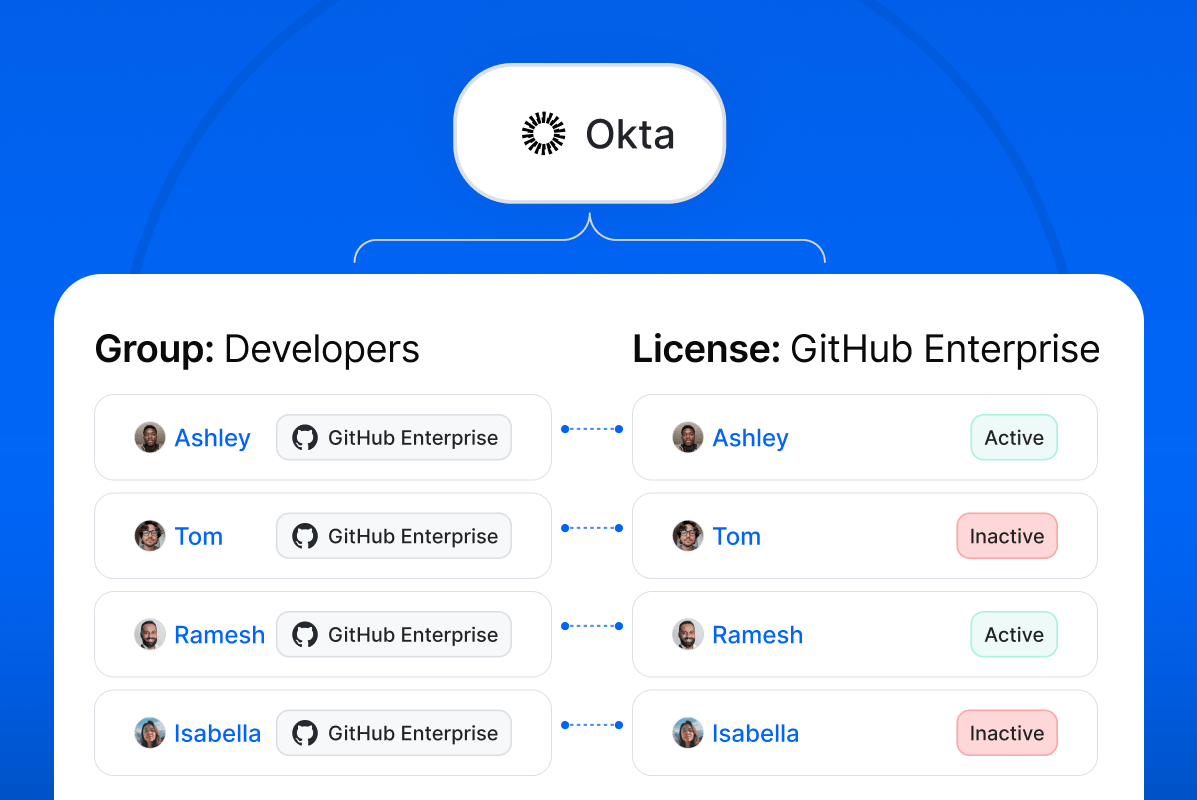
Similar to the new Microsoft License Intelligence connector, you can now pull user and usage data from applications deployed through Microsoft Entra and Okta into Setyl, to automatically keep track of active and inactive licenses.
The integration imports a list of application users and last activity dates (based on login data), and assigns them to the relevant App in Setyl. This is in addition to the existing software application discovery and import from Entra and Okta integrations.
This user and activity data is then mapped to the license information already recorded in Setyl, including through automated Group import, to build a complete picture of license usage.
These connections are available on the Advanced plan, and will populate automatically once you integrate your systems.
3. Rightsize your licenses to reduce software spend
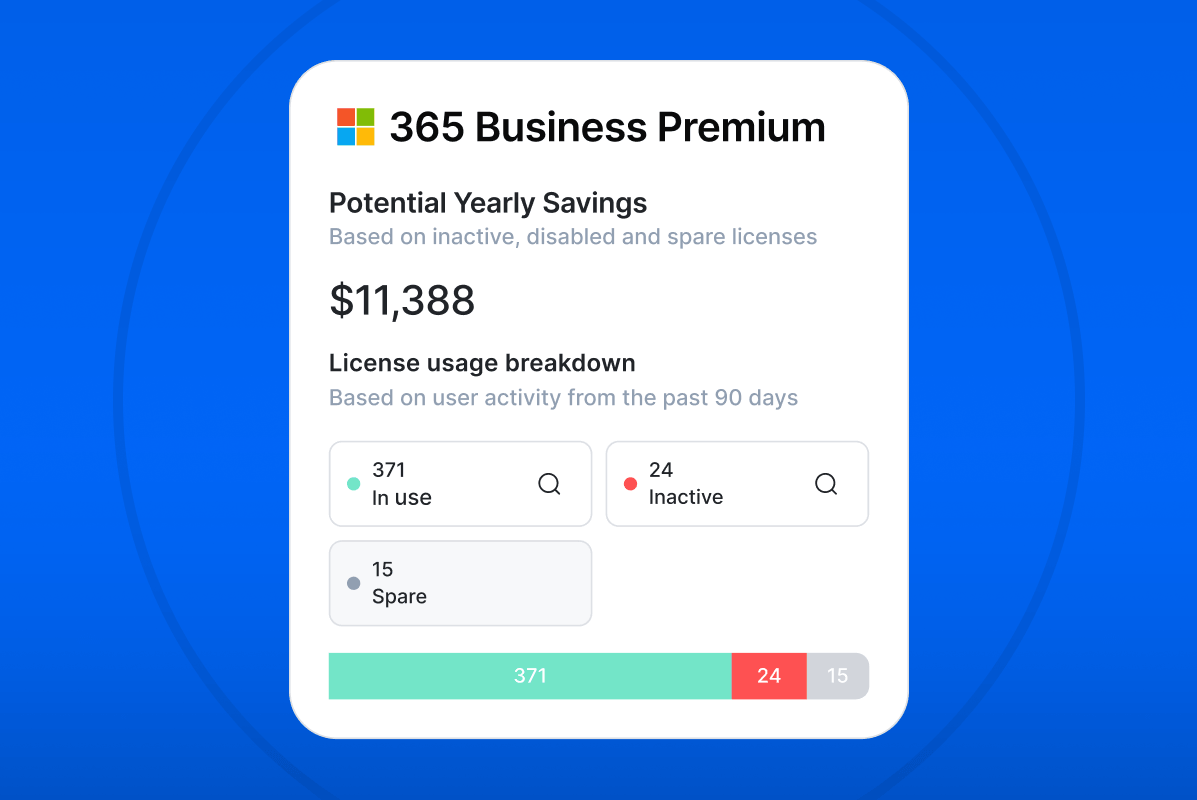
Be alerted to potential software savings with our License Rightsizing and Potential Yearly Savings functionality.
This functionality automatically flags any inactive (unused for the last 90 days) and spare licenses, as well as licenses assigned to archived (offboarded) and merged users, for a complete view of unused licenses.
The process is fully automated for Microsoft, Zoom and Slack licenses via License Intelligence integrations (with more coming soon). It is also automated for all applications deployed through Okta and Microsoft Entra, provided you have already imported license information (name, assignees and number of seats) in Setyl.
By combining this data with recorded license costs, Setyl calculates a Potential Yearly Savings total, highlighting opportunities to cut software spend.
This functionality is available on the Advanced plan. In your App profile, navigate to Licenses & Assignees > Licenses, and select the relevant license to access this data.
4. Connect Setyl to Tenable and Firstbase
Build a complete picture of your IT in Setyl with a connection to your Tenable and/or Firstbase system.
These new out-of-the-box integrations automatically detect, import, and update assets and related information into your Setyl account.
Browse all available integrations on our website, or go to Settings > Integrations in your Setyl account.
5. Improved multi-tenancy connection for asset integrations
Benefit from enhanced security and control when connecting Addigy, Cisco Meraki, Atera and NinjaOne asset sources to Setyl, with our improvements to multi-tenancy support.
For connectors that include multiple organizations, only the admin who creates the connection can view and select the relevant source(s). This allows you or your MSP to connect individual environments securely, while keeping the system’s wider user base hidden.
Navigate to Settings > Integrations to connect your integrations.
We hope you find these new features useful, and we welcome any feedback. You can also have your say in what’s coming next by engaging with the Setyl Roadmap in your account to share your ideas and upvote others’ submissions.
Plus, see us in London, Birmingham, Manchester, and Brussels this spring!
If you’re attending any of these events, be sure to stop by our stand:
- National Cyber Security Show 📍 Birmingham, UK 🗓️ Apr 28-30
- DTX 📍 Manchester, UK 🗓️ Apr 29-30
- SITS and MSP Show 📍 London, UK 🗓️ May 13-14
- Cybersec Europe 📍 Brussels, Belgium 🗓️ May 20-21
- Infosecurity Europe 📍 London, UK 🗓️ Jun 2-4
More Setyl news and updates
- Discover our new features for Winter 2025-26 and Fall 2025.
- Book a demo with one of our specialists to see the platform in action.
- Follow us on LinkedIn to get our updates straight to your feed.